Shopify — PayFast Plugin
Accept PayFast payments in your Shopify store using a supported external payment method.
This guide explains the requirements and steps to connect your PayFast account to Shopify.
Most merchants can complete this setup without custom development.
How PayFast works with Shopify
Shopify does not allow custom payment plugins for all plans. Instead, PayFast is used as an external or alternative payment provider, redirecting customers to a secure PayFast checkout to complete payment.
After payment, customers are returned to your store and the order status is updated automatically.
What you’ll need
Before you start, ensure you have:
-
An active PayFast merchant account (sandbox or live)
-
A fully configured Shopify store
-
Access to your Shopify admin dashboard
-
Your PayFast Merchant ID, Merchant Key, and Passphrase
-
Permission to configure payment providers in Shopify
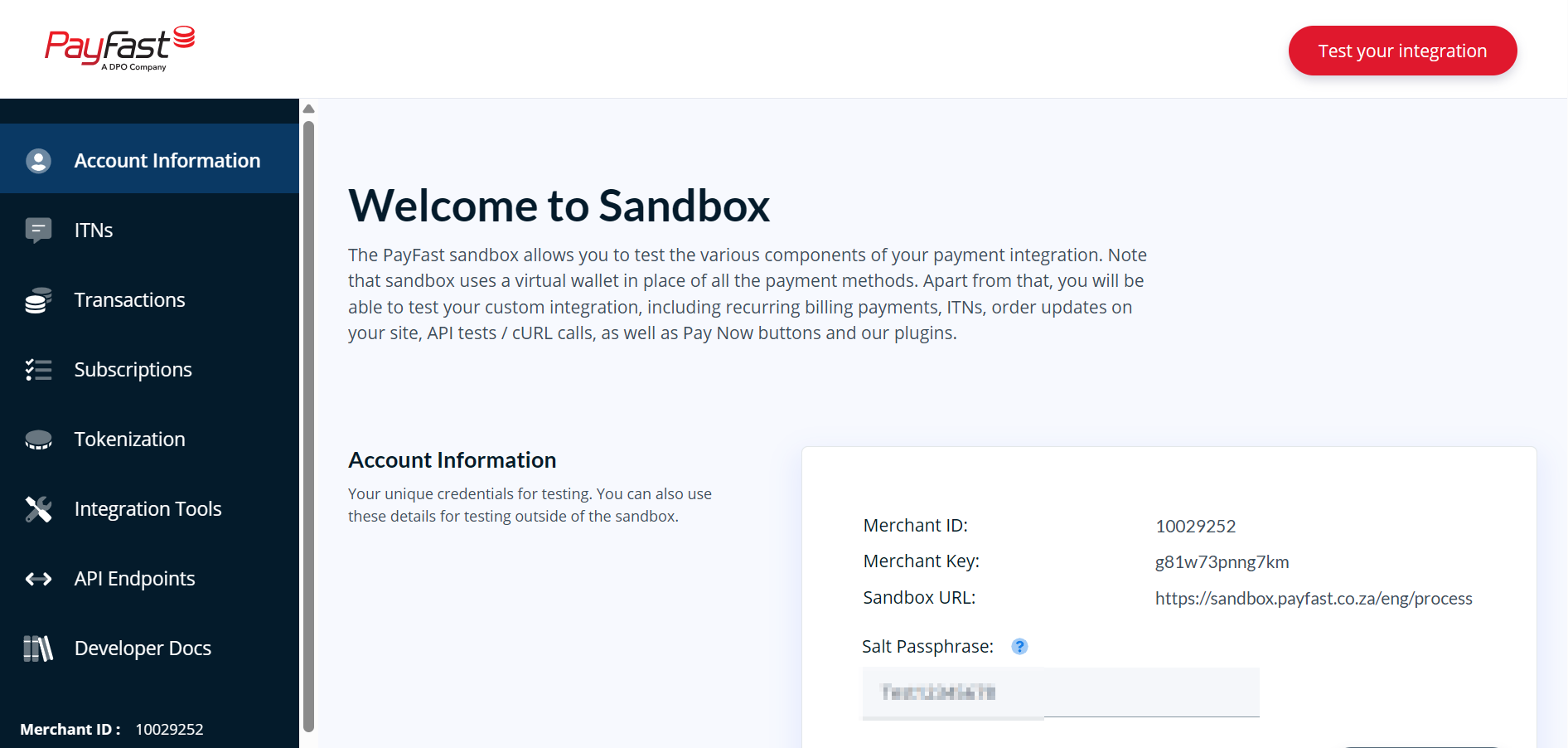
Step 1: Obtain your PayFast credentials
-
Log in to your PayFast Dashboard.
-
Go to Settings → Developer Settings.
-
Copy your:
-
Merchant ID
-
Merchant Key
-
-
Add or copy your Security Passphrase.
Step 2: Enable PayFast in Shopify
- Navigate to the **PayFast **plugin in Shopify
Your Shopify dashboard requires you to be signed in.
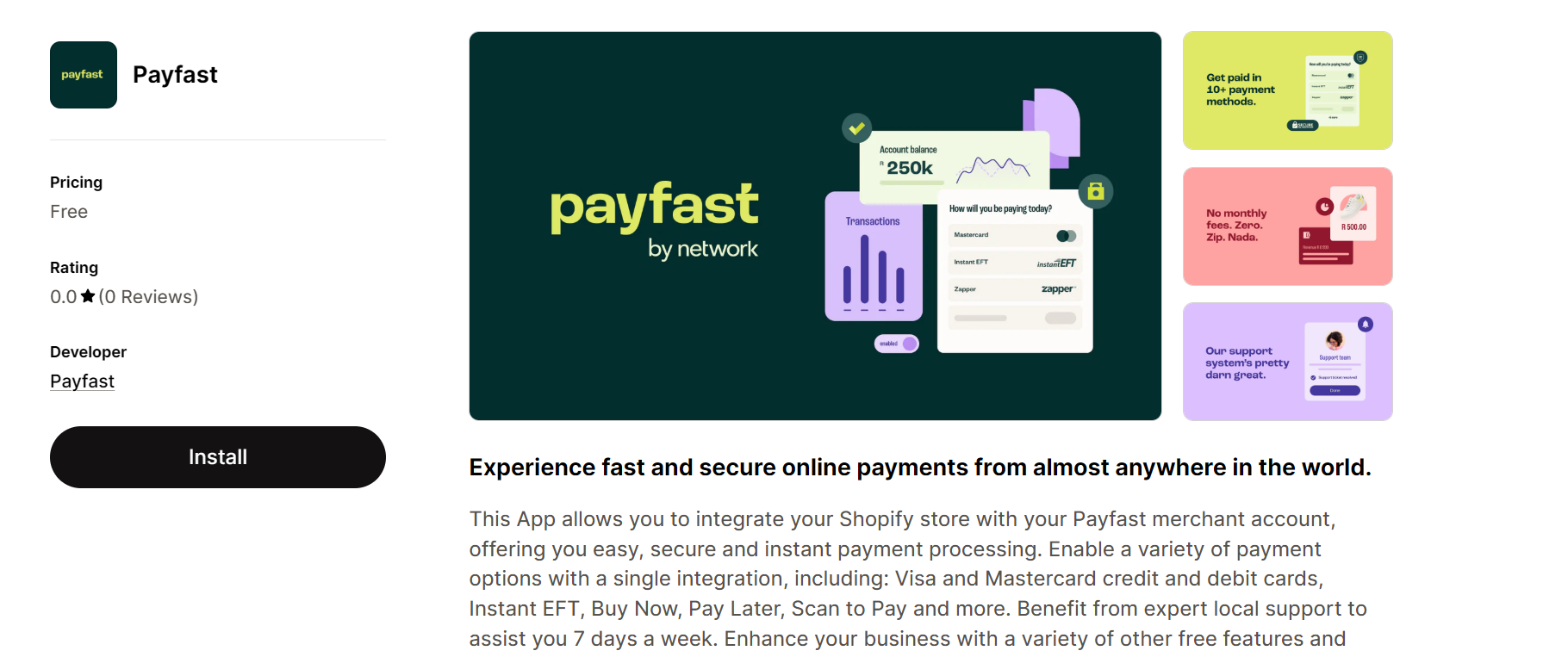
- You'll be taken to the PayFast Shopify installation page.
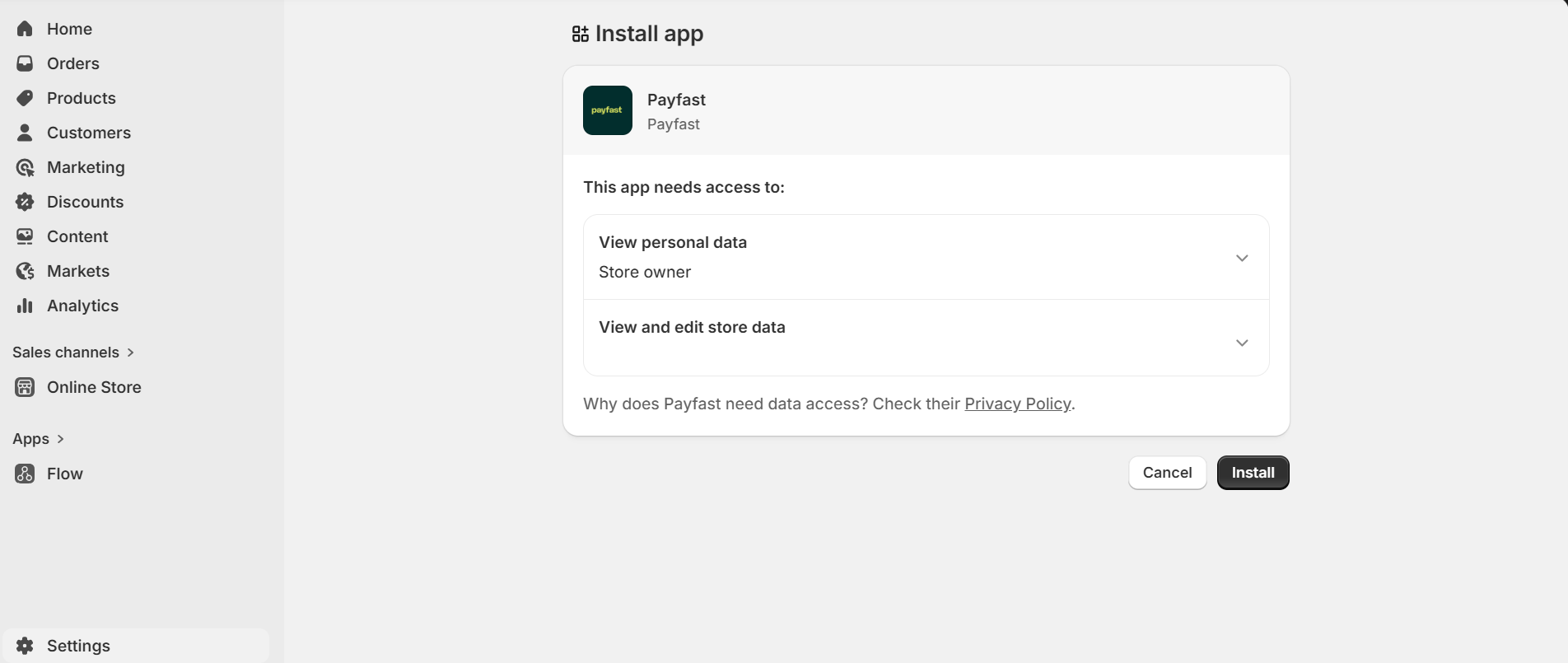
- Click Install.
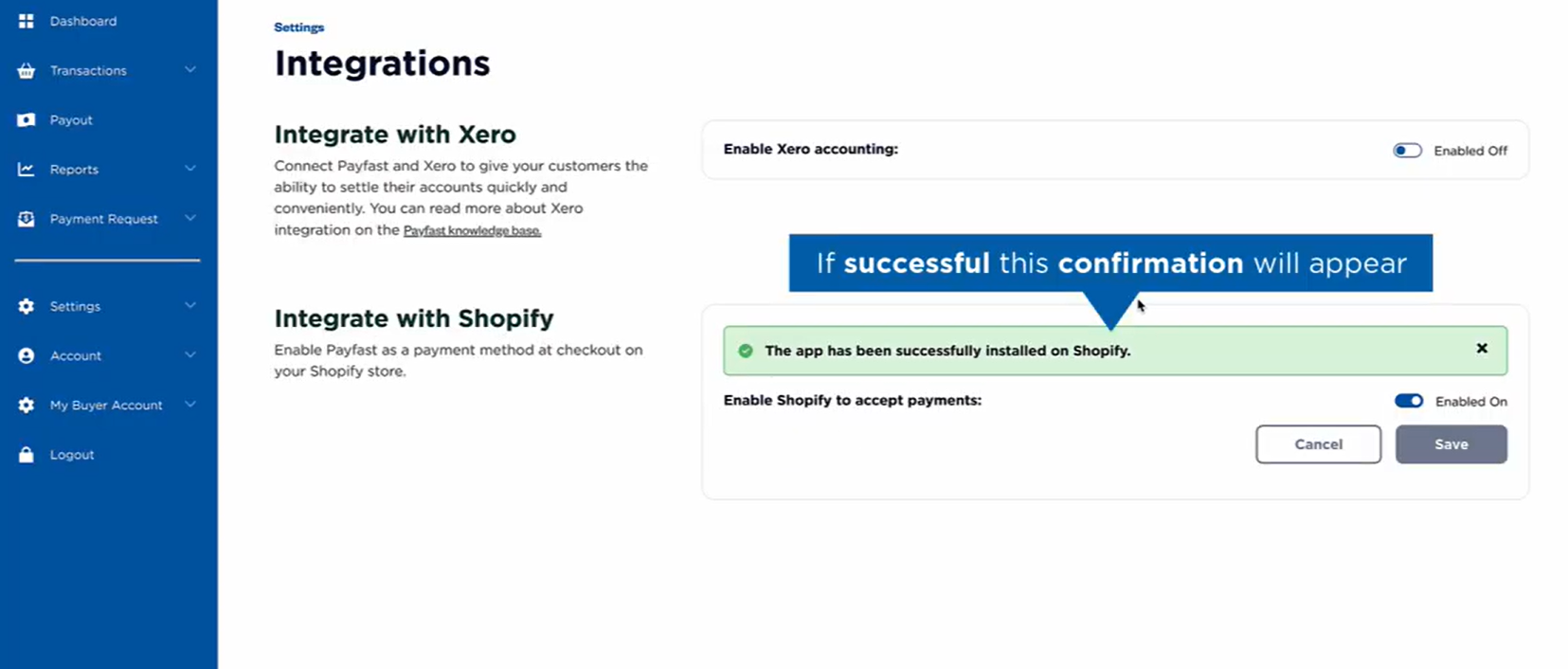
If successful, you will see the success message: "The app has been successfully installed."
Step 3: Configure your PayFast account details
Return to the Payments section to finalize the Payfast setup on your Shopify dashboard.
- Choose the cards you wish to activate.
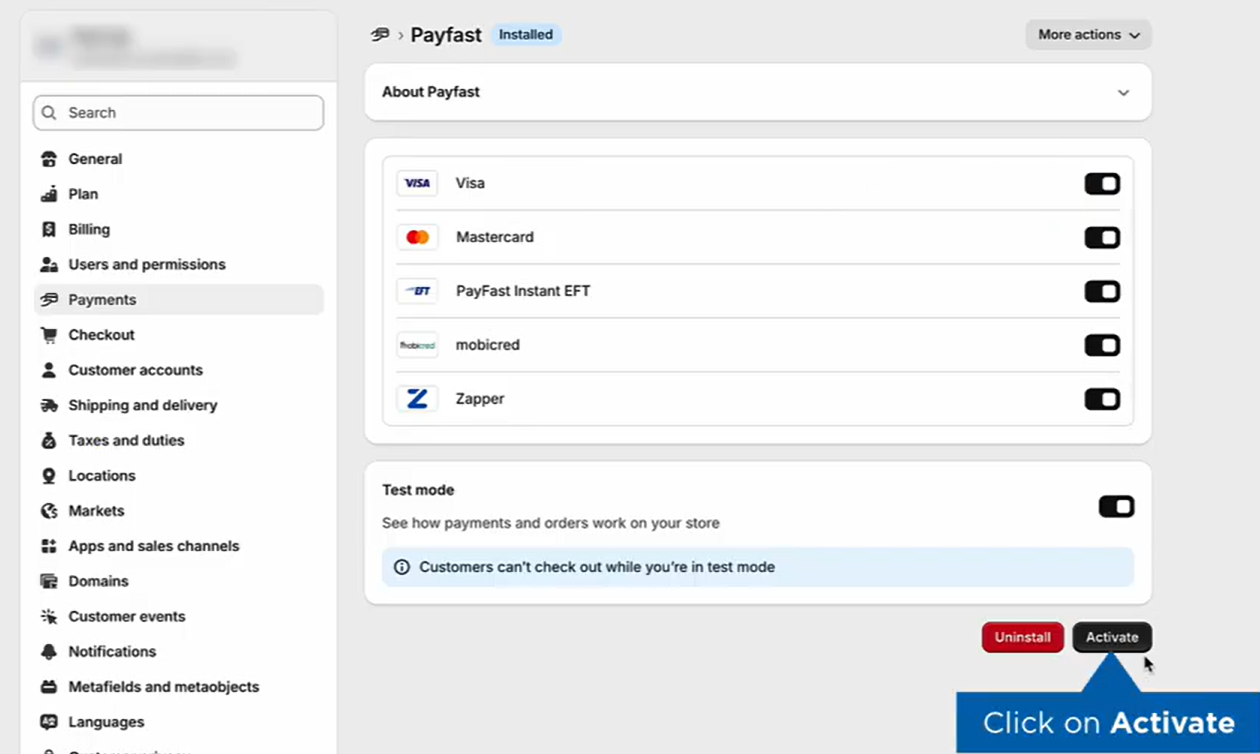
- Click Activate.
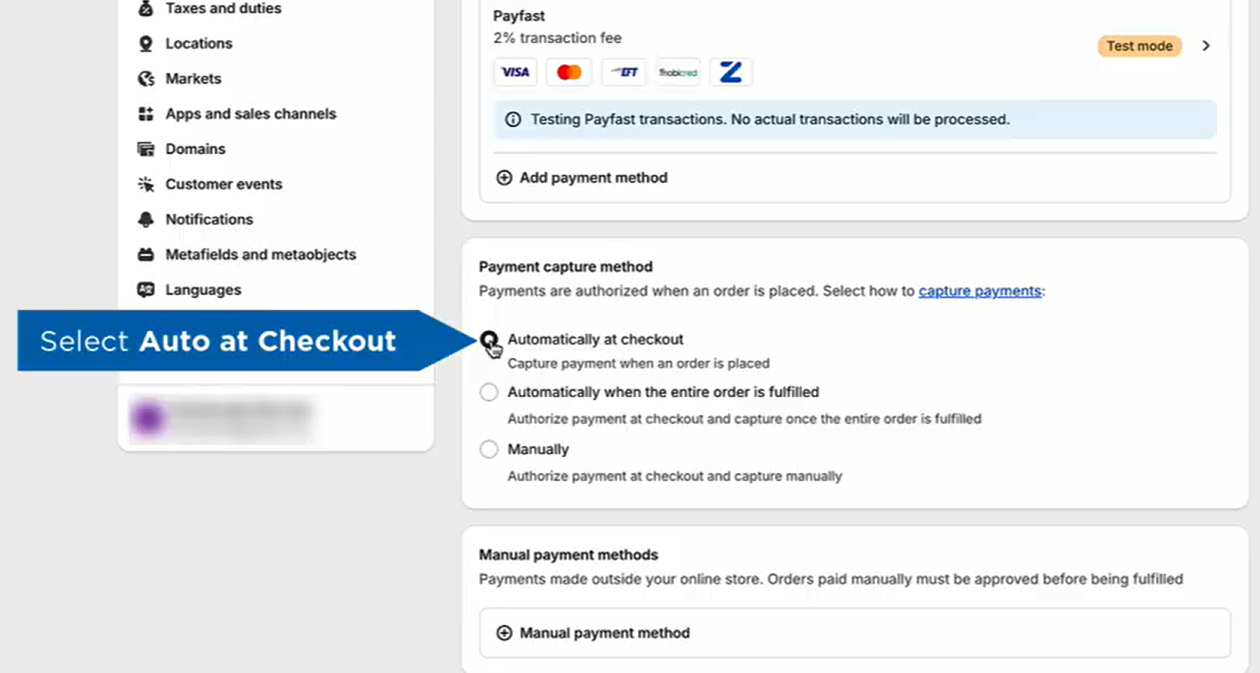
- Click the **Payments **menu option again.
- Set your Payment Capture setting to Automatic.
Watch: Payfast How To: Install Aggregator Shopify Plugin
FAQ
Will using Payfast slow down my Shopify website?
No. The integration of Payfast with Shopify is optimised for performance. There’s no impact on your website’s speed, ensuring a fast shopping experience for your customers.
How safe is using Payfast?
Payfast employs top-tier security measures. With advanced encryption, regular security audits, and PCI-DSS Level 1 compliance, both merchants and customers can transact with peace of mind.
Is it easy to add Payfast to my Shopify website?
Absolutely! Integration is simple and user-friendly. With clear instructions and support available, even those new to ecommerce can easily add Payfast to their Shopify website.
Updated about 1 month ago